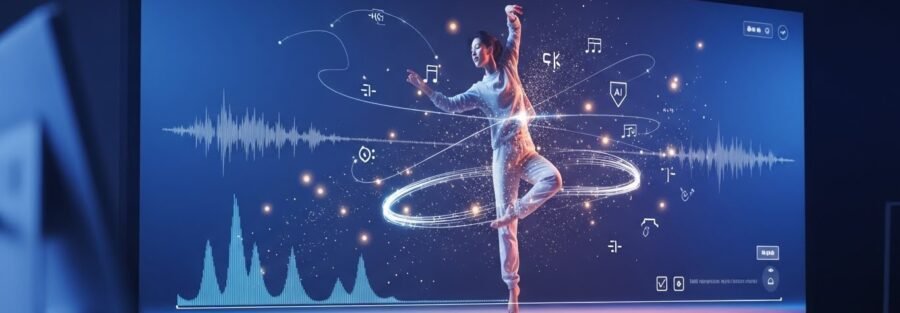
Creating dance videos using AI tools like Google Flow, Runway, Pika, or other text-to-video platforms has become one of the most powerful trends in content creation. But to get natural, realistic, and visually pleasing dance movements, you must give the AI the right instructions.
In this guide, you’ll learn how to describe dance movements correctly, which dance steps work best for AI, and how to generate professional-looking dance videos using simple prompts.
Why AI Dance Videos Need Proper Instructions
AI does not “understand” dance like humans do. It responds to clear movement descriptions, timing, and visual cues.
Without proper direction:
Movements look robotic
Transitions feel unnatural
Energy doesn’t match the music
With the right instructions:
Movements look smooth and human
Dance feels joyful and rhythmic
Videos look cinematic and professional
Best Dance Styles for AI Video Creation
These dance styles work best with AI-generated motion:
Simple freestyle dance
Celebration / festival dance
Soft groove dance
Worship / praise dance
Casual happy dance
Slow expressive movement
Avoid overly complex choreography. Simpler motions give cleaner AI results.
Recommended Dance Movements for AI Videos
Below are safe, natural, and visually pleasing dance moves that work extremely well in AI-generated videos.
1. Side-to-Side Step
Gentle steps left and right with relaxed shoulders. Perfect for intro or chorus.
2. Light Hand Waves
Hands moving up and down smoothly in rhythm. Works great for joyful or worship music.
3. Clap and Smile
Two soft claps with a friendly smile. Creates a festive and interactive feeling.
4. Shoulder Bounce
Small rhythmic shoulder movement for natural groove.
5. Gentle Spin or Turn
A slow spin adds cinematic motion without confusion.
6. Forward Walk Groove
Small steps toward the camera, confident and happy.
7. Raised Hands Gesture
Hands lifted slightly upward, expressing celebration or praise.
8. Head Nod With Beat
Simple nodding that matches rhythm and keeps realism.
Sample Prompt for AI Video Generation
You can copy-paste this directly into Google Flow or similar tools:
Create a joyful dance video with a person performing smooth, natural dance movements. The dancer moves with relaxed side steps, light claps, gentle hand waves, and soft spins. The motion should feel joyful, celebratory, and natural — not robotic. Use warm lighting, smooth camera movement, and a festive mood. The dancer should appear confident, smiling, and full of positive energy.
Visual & Camera Tips for Better Results
Use soft lighting or golden-hour lighting
Avoid fast camera cuts
Use slow zoom or gentle camera movement
Keep background clean and uncluttered
Match movement speed with music tempo
Why This Works for Social Media & YouTube
These techniques:
Increase watch time
Look natural on Reels, Shorts & YouTube
Feel emotionally engaging
Reduce AI “glitch” movement
Improve audience retention
Final Tip for Creators
The secret to great AI dance videos is simplicity + rhythm + emotion.
Don’t over-direct. Let the AI flow naturally while you guide the emotion.